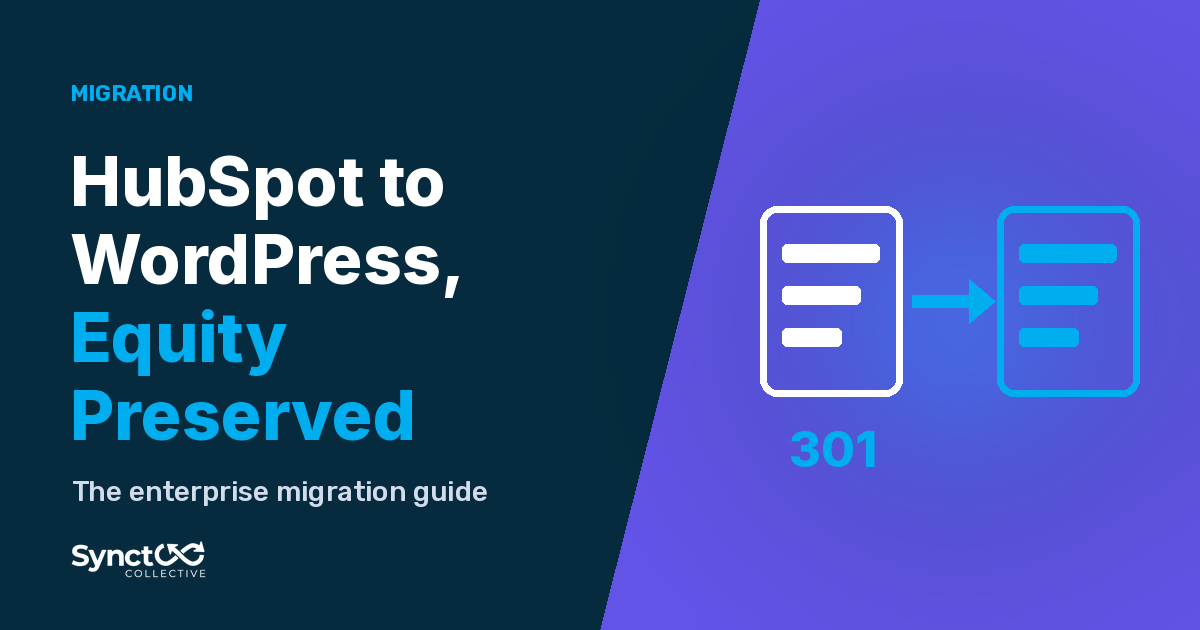
A HubSpot to WordPress migration is a rebuild, not a one click export. Here is the step by step plan we use to move pages, blog posts, forms and redirects while your HubSpot CRM keeps working.
Executing an enterprise migration from HubSpot to WordPress requires treating the transition as an architectural database migration rather than a simple design reskin. By utilizing native CMS platform migrations strategies, enterprise teams can decouple content from proprietary SaaS frameworks, eliminate per-seat platform fees, and achieve sub-second page performance while completely protecting historical search engine rankings.
HubSpot to WordPress Migration in 7 Steps
- Crawl and record every URL on your HubSpot site, with titles, meta descriptions and current search traffic.
- Export your content: blog posts, pages, images, files and HubDB tables.
- Rebuild the templates in WordPress, since HubL modules and themes do not carry across.
- Import and check the content, including authors, dates, categories and internal links.
- Rebuild or reconnect forms so leads keep flowing into your HubSpot CRM.
- Map 301 redirects for any URL that changes and carry over titles, descriptions and schema.
- Launch, then monitor crawl errors, redirects and form submissions in the weeks after go live.
What Transfers and What Gets Rebuilt
Usually transfers with an export or import:
- Blog posts, authors, publish dates and tags
- Images, PDFs and other files
- Page text, titles and meta descriptions
- HubDB table data (exported as CSV, then imported into WordPress tables or custom fields)
- Your HubSpot CRM contacts, deals and workflows, which stay in HubSpot and do not move at all
Has to be rebuilt in WordPress:
- Themes, templates and HubL modules
- Landing page layouts and Smart Content rules
- Forms, CTAs and their connection to HubSpot
- URL structure and the 301 redirect map
- Structured data (schema) and internal linking
How Long Does a HubSpot to WordPress Migration Take?
It depends on the size of the site and how much custom HubL and HubDB work it uses. As a general guide, a small site with a blog and a handful of pages typically takes a few weeks, while a larger site with many templates, landing pages and data tables typically takes a couple of months. Planning the URL map and redirects early is what keeps the timeline predictable.
1. The Enterprise Bottleneck of Proprietary CMS Architecture
HubSpot CMS is engineered for visual ease of use, but its underlying architecture creates rigid constraints for growing engineering teams. Understanding these technical limitations clarifies why high-growth companies migrate to custom WordPress ecosystems:
Proprietary HubL Markup: HubSpot pages rely on proprietary HubL templating. Because this code cannot run outside of HubSpot’s servers, you are locked into their hosting ecosystem and cannot run local development environments or standard CI/CD deployment pipelines.
HubDB Scale Limits: While HubDB allows relational table creation, query flexibility is heavily restricted compared to native MySQL or PostgreSQL. Complex range filtering, custom indexing, and high-concurrency transactional queries quickly hit API rate limits. As we outlined in our guide on custom post types and database schemas, operational datasets require true relational SQL architecture to scale without performance degradation.
Escalating Tier Costs: HubSpot pricing scales aggressively based on total contact counts, module add-ons, and portal seats. Decoupling your public CMS from your CRM operations allows you to maintain HubSpot for lead tracking while eliminating unnecessary CMS Tier fees.
2. Mapping Proprietary Datasets to WordPress Architecture
A critical phase of migrating from HubSpot CMS to WordPress is transforming proprietary HubL modules and HubDB tables into clean, native WordPress data structures.
Converting HubDB to Custom Relational Tables: Standard HubSpot blog posts and landing pages should be migrated into native WordPress posts, pages, or Custom Post Types (CPTs). However, structured HubDB datasets, such as product directories, store locators, or event logs, should be mapped directly into custom SQL tables or structured CPTs using Advanced Custom Fields (ACF).
When migrating simple sites, automated tools often pollute codebases with inline styles and dirty markup. As detailed in our technical guide to migrating Wix to WordPress, enterprise migrations must be executed via structured database scripts and native Gutenberg block development to guarantee zero code bloat and sub-second load times.
| HubSpot CMS Element | WordPress Architecture Equivalent | Migration & Execution Strategy |
|---|---|---|
| Standard Pages & Blogs | Native Posts & Pages | REST API Extraction -> Gutenberg Blocks |
| HubDB Tables | Custom SQL Tables / ACF CPTs | JSON Export -> Direct $wpdb Ingestion |
| HubL Custom Modules | Custom Block Components | PHP / React Native Block Development |
| HubSpot Embedded Forms | WordPress REST API / Webhooks | Native Forms -> HubSpot Forms API Endpoint |
| Smart Content / Dynamic Rules | Server-Side Geo/Role Logic | Edge Caching & Dynamic PHP Conditionals |
3. Preserving SEO Equity, Canonical Structures, and Schema
Enterprise sites carry years of accumulated domain authority, organic backlink profiles, and search engine indexation. A single misconfigured permalink or missing canonical tag during a migration can cause catastrophic organic traffic drops.
1. Comprehensive URL Permalink Audit: Before initiating DNS cutover, crawl your entire HubSpot site using automated diagnostic tools to export every active URL, metadata record, header hierarchy (H1-H4), and image asset.
2. Complete 301 Permanent Redirect Mapping: HubSpot often enforces default URL structures for blog posts (e.g., /blog/post-name). If your new WordPress architecture streamlines these URLs, you must construct a 1:1 server-level 301 permanent redirect map. This guarantees that external link equity flows directly to the new URL endpoints without generating 404 errors or redirect loops.
3. Server-Side JSON-LD Schema Injection: HubSpot relies on automatic background schema injection for blogs and organization records. During the WordPress rebuild, ensure structured JSON-LD schema (Article, Organization, FAQPage, Product) is injected directly into the initial server HTML payload. Search engines and AI retrieval crawlers must parse pristine, machine-readable structured data on the very first byte.
4. Maintaining HubSpot CRM Lead Capture Workflows
Migrating away from HubSpot CMS does not mean abandoning HubSpot CRM. You can maintain your entire marketing automation pipeline, lead scoring triggers, and sales notifications by connecting native WordPress forms directly to the HubSpot Forms API.
Instead of embedding heavy, render-blocking HubSpot JavaScript forms (v2.js) that degrade Core Web Vitals performance, construct lightweight native forms (e.g., via Gravity Forms, WS Form, or custom REST API components).
When a user submits a form on your WordPress site, process the input using server-side PHP webhooks that post data directly to the HubSpot API endpoint asynchronously. This guarantees instant user feedback, zero third-party script bloat, and 100% reliable lead capture into your HubSpot CRM portal.
Thinking of Going the Other Way? WordPress to HubSpot
Some teams move in the opposite direction, from WordPress to HubSpot, to keep their website and CRM in one platform. That route has its own steps, such as importing blog posts into HubSpot and rebuilding the theme in HubL.
Our WordPress to HubSpot migration guide covers what moves across, what has to be rebuilt and what to plan.
Frequently Asked Questions (FAQs)
Q: Will migrating from HubSpot CMS to WordPress affect my HubSpot CRM data?
A: No. Migrating your website off HubSpot CMS only moves your public front-end pages, blog posts, and design templates. Your contacts, deals, workflows, email marketing lists, and CRM history remain completely intact inside your HubSpot portal.
Q: How do we handle HubSpot "Smart Content" or personalization on WordPress?
A: HubSpot Smart Content can be replicated on WordPress using server-side geolocation lookup modules, user role conditionals, or lightweight personalization scripts integrated with edge-caching layers (such as Cloudflare Workers), ensuring high speed without dynamic page breakdown.
Q: How do we prevent SEO traffic drops during a HubSpot-to-WordPress migration?
A: SEO equity is protected by executing a pre-migration URL crawl, maintaining exact permalink structures where possible, implementing a complete 301 redirect map for altered paths, preserving all meta titles and descriptions, and injecting structured JSON-LD schema natively into your new WordPress theme.
Q: Can we keep using HubSpot forms on our new WordPress site?
A: Yes. You can either embed standard HubSpot form scripts or, for optimal page speed and Core Web Vitals scores, build native WordPress forms that push submission data directly to HubSpot's REST API endpoints via background webhooks.
Ready to Migrate from HubSpot to a High-Performance WordPress Ecosystem?

You don't have to stay trapped in a closed, expensive CMS to keep your marketing automation running smoothly.
At Synct Collective, we specialize in zero-downtime enterprise CMS migrations. We handle complex database mapping, native Gutenberg reconstruction, 301 redirect mapping, and API integration, delivering sub-second speed, total data ownership, and complete SEO equity preservation.

Dave Macdonald
Prior to founding Synct Collective, Dave was the founder of WP Tech Support, a global 24/7 maintenance and support agency that managed and secured over 600 WordPress sites worldwide. Having architected and maintained digital infrastructure at scale for hundreds of international site owners, his technical focus now centers on eliminating page-builder bloat, executing zero-downtime migrations, and optimizing server-level execution to deliver sub-second Core Web Vitals performance.
As an advocate for modern, future-proof web standards, Dave regularly writes on the intersection of native Gutenberg engineering, custom database architecture, structured JSON-LD schema design, and Answer Engine Optimization (AEO).