
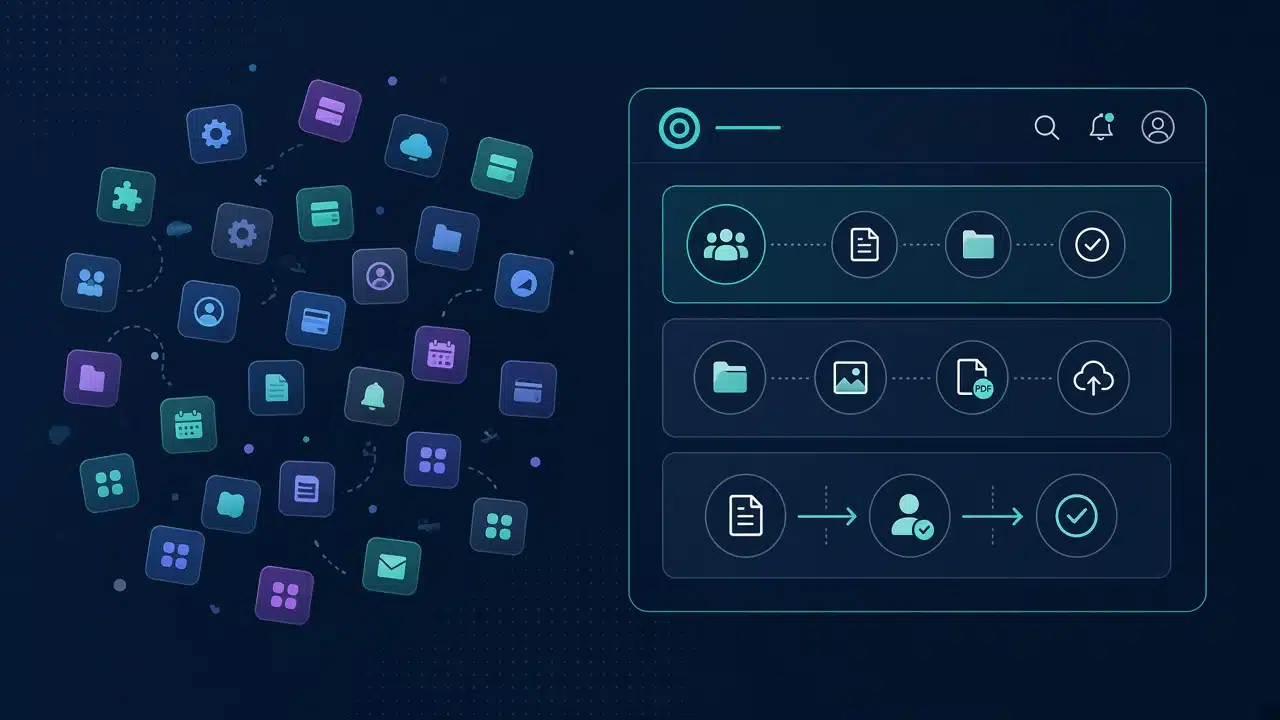
Most growing service firms do not set out to rent five different products for one client relationship. They add a form tool for intake, a file share for contracts, an e-signature app for approvals, a project board for milestones, and a separate “client login” that never quite matches the brand. Each tool solves a narrow pain. Together they create SaaS fatigue: duplicate logins, fragmented data, rising per-seat fees, and a client experience that feels rented rather than owned.
A WordPress client portal onboarding system flips that pattern. Instead of stitching rented apps into a brittle chain, you engineer one branded hub on your WordPress estate - intake checklists, a private document library, and a client approval workflow that records who signed off and when. This article is a practical follow-up to our guide on enterprise WordPress client portals with RBAC and GEO schema: same architecture mindset, now focused on the day-to-day jobs portals actually do - onboarding, files, and approvals.
Why onboarding, files, and approvals belong in one portal
Client work fails in the seams between tools. A questionnaire lives in Tool A, the signed statement of work in Tool B, and the latest PDF revision in an email thread nobody can search. When finance or compliance asks “who approved version three?, the answer is a scavenger hunt.
A single bespoke WordPress portal collapses those seams:
- Onboarding becomes a sequenced checklist with due dates, reminders, and required uploads - not a folder of ad-hoc emails.
- Documents live in a private library with object-level authorization, not public Media Library URLs.
- Approvals produce an audit trail: approver, timestamp, outcome, and optional revision notes.
Clients stay on your domain, under your visual system, with one login. Internally, account managers see the same source of truth. That is the difference between a branded client portal WordPress build and a patchwork of white-labeled SaaS screens.
What a WordPress client portal onboarding flow should include
Effective onboarding is a workflow, not a welcome email. On WordPress, the durable pattern is a template per engagement type - retainer, project, partnership - that you clone per account and customize without rewriting the rules.
Reusable onboarding templates
Define steps once: company details, KYC or compliance packs, brand assets, technical access, billing contacts, and kickoff preferences. Each step can require a short answer, a file upload, or both. Assign owners (client contact vs. internal lead), set due dates, and send reminders from the same system that stores the responses.
Progress that clients can see
A portal dashboard should show percentage complete, blocked steps, and what is waiting on whom. Visibility reduces just checking in” emails and makes handoffs between sales and delivery cleaner. Keep the marketing site answer-first and crawlable for search and AI citation; keep onboarding state behind authentication so private answers never leak into sitemaps or public schema - a split we cover in depth in the RBAC and GEO portal architecture piece.
Handoff into live work
When the checklist completes, the same account record should open the project workspace: milestones, file library, and approval queues. Avoid a second invite, a second password, and a second brand. Continuity is a product feature.
Building a WordPress document portal that stays private
A WordPress document portal is not “put PDFs in the Media Library and hope.” Public upload paths, guessable filenames, and attachment pages indexed by search engines are common failure modes. Treat files as application objects:
- Store privately outside the publicly served uploads tree, with server rules that deny direct access.
- Authorize every download through a PHP (or REST) handler that checks the users capabilities and tenant scope before streaming bytes.
- Validate uploads by real content type, size limits, and malware scanning where policy requires it - not by file extension alone.
- Version deliberately so “final_v7_REAL.pdf” becomes a tracked revision with metadata, not chaos in a shared drive.
Capabilities should map to domain verbs: view document, upload document, approve deliverable, export archive. WordPress’s native roles and capabilities model is the right foundation when you register custom types (or custom tables) with explicit capability mapping rather than relying on Subscriber and Editor defaults.
Building a WordPress document portal that stays private
A WordPress document portal is not put PDFs in the Media Library and hope.” Public upload paths, guessable filenames, and attachment pages indexed by search engines are common failure modes. Treat files as application objects:
- Store privately outside the publicly served uploads tree, with server rules that deny direct access.
- Authorize every download through a PHP (or REST) handler that checks the user’s capabilities and tenant scope before streaming bytes.
- Validate uploads by real content type, size limits, and malware scanning where policy requires it - not by file extension alone.
- Version deliberately so “final_v7_REAL.pdf” becomes a tracked revision with metadata, not chaos in a shared drive.
Capabilities should map to domain verbs: view document, upload document, approve deliverable, export archive. WordPress’s native roles and capabilities model is the right foundation when you register custom types (or custom tables) with explicit capability mapping rather than relying on Subscriber and Editor defaults.
At volume, transactional file metadata and approval events belong off the default posts table. That is the same scale discipline described in our guide to WordPress database schema and CPT optimization: editorial content stays publishable; operational records stay indexed and lean.
Practical rule: if an unauthenticated request can fetch a client contract by URL, you have a file share - not a document portal.
Client approval workflow WordPress patterns that hold up
Approvals are where SaaS tools often look convenient and where custom portals earn their keep. A robust client approval workflow WordPress design usually includes:
- Named approvers per account or deliverable - not anyone with the link.”
- Clear outcomes - Approve, Request revision, Reject - with required notes when changes are needed.
- Immutable activity history - who acted, when, from which IP or session context if policy demands it.
- Notifications and reminders - email or in-portal alerts without moving the decision out of the system of record.
- Revision allowances (optional) - so endless tweak cycles become a governed commercial conversation, not an email argument.
Enforce every transition server-side. The portal UI can present buttons; the WordPress REST API (or custom endpoints) must re-check capabilities before changing state. UI hiding is not security - a theme we stress across Synct Collective’s portal engineering work on the main services site.
Where RBAC meets the approval queue
Map roles such as Client Viewer, Client Approver, Internal Account Lead, and Compliance Reviewer. A viewer can read status; an approver can sign off; an internal lead can escalate. Align that model with established NIST guidance on role-based access control: least privilege, clear separation of duties, and auditable authorization decisions.
Replace the SaaS stack without losing integrations
Replacing the stack does not mean isolating WordPress from the rest of the business. It means WordPress owns the client-facing workflow while CRM, billing, and document systems of record stay where they belong.
- Own the UX and brand - login, dashboards, checklists, and approvals on your domain.
- Own the authorization boundary - tenant-scoped queries and download handlers.
- Integrate deliberately - push status or contacts to CRM via REST webhooks; pull invoices from finance; never scatter the primary approval log across three vendors.
Compared with perpetual per-seat SaaS, a custom portal is an engineering investment with a predictable cost curve. Many teams see subscription creep reverse within a year once onboarding volume and concurrent client seats grow - especially when you stop paying separately for forms, file shares, and e-sign seats that only exist to glue gaps.
Performance matters inside the portal too. Application-level RBAC works best on a lean codebase, as covered in our guide to cutting WordPress plugin bloat, so authenticated dashboards stay fast for every role.
Architecture checklist for a branded client portal on WordPress
Use this as a quarter-ready backlog, whether you are extending an existing estate or commissioning a new build:
- Inventory actors and objects - clients, partners, internal roles; projects, onboarding steps, files, approvals.
- Register capabilities before pixels - dashboards second, permission matrix first.
- Design the onboarding template - steps, required evidence, SLA reminders.
- Harden the document store - private storage, authorized downloads, version metadata.
- Model approval state machines - outcomes, notes, notifications, audit log.
- Scope every query - fail closed on cross-tenant reads, including REST collections.
- Keep public and private surfaces separate - marketing pages can carry light Organization schema for entity clarity; portal routes stay out of sitemaps and public JSON-LD. For answer-engine and domain-trust context, see our note on AEO, domains, and AI search trust.
- Regression-test - unauthenticated crawl of public pages; authenticated attempts to access another tenant’s files must fail.
Front-end presentation - including a polished marketing layer your team already maintains - should sit on top of that contract. Engineering depth is what makes the portal trustworthy; visual consistency is what makes it feel like your organization.
Frequently Asked Questions (FAQs)
Q: What is WordPress client portal onboarding?
A: It is a structured, authenticated workflow inside a WordPress portal that walks new clients through required steps - forms, uploads, and confirmations - with progress tracking, reminders, and a clear handoff into live project work on the same branded hub.
Q: How is a branded client portal on WordPress different from stacking SaaS tools?
A: A branded portal keeps onboarding, documents, and approvals on your domain under one login and one design system. You own the data model and authorization rules instead of renting separate form, file, and e-sign products that fragment brand and audit trails.
Q: Can a WordPress document portal keep files truly private?
A: Yes, when files are stored outside public upload paths, downloads are authorized server-side against roles and tenant scope, and private routes are excluded from sitemaps and search indexing. The Media Library alone is not a secure document portal.
Q: What makes a client approval workflow on WordPress audit-ready?
A: Named approvers, explicit outcomes, required revision notes where appropriate, immutable timestamps, and capability checks on every state change - enforced in PHP and REST callbacks, not only in the interface.
Q: Do we still need CRM or billing SaaS if we build a portal?
A: Often yes as systems of record. The portal should own client-facing onboarding, files, and approvals, then integrate via REST or webhooks so finance and sales tools stay specialized without becoming the client’s daily login experience.
Replace the rented stack with a portal you own
If your organization is ready to consolidate intake, documents, and sign-off into one WordPress client portal - with proper RBAC, private file handling, and approval history - Synct Collective engineers that surface as part of a durable WordPress estate, not a plugin pile.
Contact the engineering team at Synct Collective to map your onboarding and approval workflows into a branded portal architecture.


